A diary by day
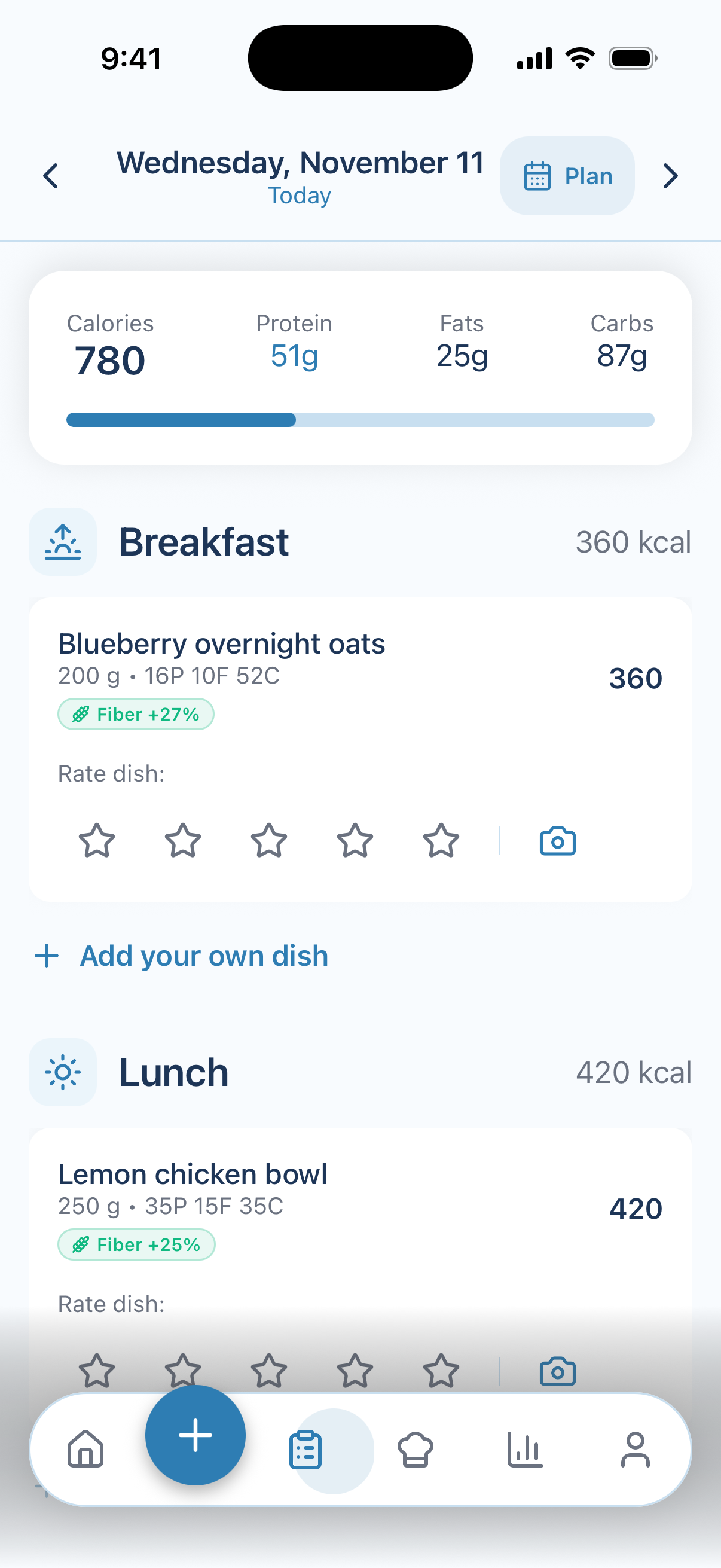
Meals, foods and amounts share one structure. The diary screen shows your entries alongside a summary of the recorded values.
An AI-assisted food diary
Log meals and review calories, protein, carbs and fat for the day. Photos and voice can help prepare an entry — you check the ingredients and amount before saving it.
App availability, listing language, prices and offers depend on the store and your account. Subscription terms appear before payment.
A set of numbers is more useful when you know which food and amount it describes.
Start with a food, recipe or description of your meal. A photo or voice description can help prepare a first draft; it is not a measurement of the ingredients.
Review the ingredients, the state of the food and the portion weight. When using a label, take figures from one column and keep the units consistent.
The diary brings together your logged meals and their calculated calories and macros. You can return to an entry to review its ingredients and portion.
Meals, foods and amounts share one structure. The diary screen shows your entries alongside a summary of the recorded values.
AI can help prepare a meal description and an initial estimate. Check the foods, amounts and values before you save them.
Keep recipes and work with their portions. For a homemade dish, both the recipe totals and the finished batch weight matter.
The app has a separate log for water you add. You can review the amount and selected units alongside your food diary.
These tools work with figures you already have. They do not choose a portion size or set a personal dietary target.
The label gives values per 100 g or per listed serving, but your amount is different. Scale each value to the portion you have.
250 kcal per 100 g → 75 g = 187.5 kcal
Calculate a portionDivide known recipe calorie and macro totals by the finished dish weight or by equal portions.
1,200 kcal in an 800 g dish → 200 g = 300 kcal
Split a recipePut two products on the same weight or volume basis. The comparison does not declare one product healthier.
Compare per 100 g with per 100 g
Compare labelsIdentify the energy units on a label. Do not confuse kilocalories with small calories or enter kJ into a kcal field.
Choose the source energy unit first
Convert energy unitsWhat the per-100-g column means, how to use a listed serving and why percentages do not replace grams of nutrients.
Read the guideHow changing water content affects weight and values per 100 g, and why one universal conversion is not enough.
Read the guideWhy weighing the whole cooked batch helps, and how to calculate a portion from its share of the total weight.
Read the guideNo. A photo may not show every ingredient, added oil, sauce or the weight of a meal. In Kovi Diet, check and adjust an AI result before saving it. If you have a label and a weight, use those as the starting figures for the matching food.
The app is for keeping a diary and working with your entries. The calculators solve an individual arithmetic task using numbers you provide. They do not transfer the result to an account or calculate your personal dietary needs.
Check the available offer, price, currency, duration and renewal terms in the app and store before payment. A trial is available only when an eligible offer is shown; this website does not promise one.
These public pages introduce the app and offer separate tools. You do not need to sign in to a diary account to use a calculator here. A store link opens the app listing, not your personal entries.
Open the Kovi Diet listing to check the available version and store terms. Start with one clear entry: the food, its amount and the source of its figures.
App availability, listing language, prices and offers depend on the store and your account. Subscription terms appear before payment.